
I’ve recently been doing quite a bit of work with software called Tessera in ESPHome (with Home Assistant), and this allows for creating portable screens for controlling and monitoring ESPHome entities on a variety of different touch display devices.

If anyone’s been thinking about a Tessera display – supported choices in the larger display sizes are limited. One supported screen is Seeed’s D1001 – and it’s very nice. Here’s the link…
See below – my D1001-based Tessera panel up to now.. note that the weather, map and calendar panels open on touch to their own full screens.
Support for the D1001 is described in the Tessera control panel as “experimental” but for me anyway it works just as well as my Guition 4″ displays which are also very nice – but you can’t get away from the latter being only 4″.
I also looked at a 10.1″ display by Elecrow but that’s not quite ready for prime-time yet. The “experimental” label on the Seeed display for the D1001 had me concerned initially but as you’ll see in the image above – up to now I’m having no issues apart from the map tile which is (was) unreliable – I just checked on my 4″ Guition display – added the map tile – perfect – expansion – perfect – but not on the D1001 – I’ve reported that back to Tessera….the map worked just before I started doing this writeup.. and then worked again just after my last check.

Update November 10, 2026: I put in a fix request to Tessera and the map is now fworking just fine on my Seeed D1001.
Meanwhile I can’t seem to find a Tessera option to directly screengrab (not D1001-specific) but here’s an early screen capture from the editor.

It is worth noting that when adding the Seeed unit, it dropped straight in and tiles worked straight away but when I went to add extra WiFi SSIDs – dropping into ESPHOME to make the change – I came across an error which stopped the compile – my mmediate thoughts were that it must be the new display – it turns out that was NOT the case – Tessera is particularly resource-hungry when compiling and I have a Mini-PC running Home Assistant (HASS) natively) with 8GB of RAM and though at one time this would have been EASILY enough RAM, once you start bringing in all kinds of APPS (add-ons) for AI and cameras etc. to Home Assistant, 8GB is starting to be a bit of a limit – nothing to do with the D1001 specifically. As the code was compiling – I saw something about only using only 2 simultaneous compilers due to only 2.3GB being available….then it bombed. None of this has anything to do with me using the D1001 display.
Anyway, simple solution, I temporarily turned off some Home Assistant apps that I’m not using right now, like Code Assistant and one of my camera enhancement apps, and that freed up more memory. The next time I compiled the 1001 display, no problem.
The 5-column setup I’m using on the D1001 display is just fine for big thumbs – could possibly squeeze 6 columns in – all configurable in Tessera. Of course, I’ve yet to try to make use of the many additional features of the D1001 display – (the antenna connector is for 4G and not needed otherwise) – there’s a 4G SIM socket but the actual 4G is described as optional and I don’t have one so no further comment).
There’s a micro-SD socket (I could envision offline photo albums), dual microphones, the unit has a 2500mAH USB-rechargeable battery (right now I’m keeping it running on USB power), speaker and I’ve already spotted positional sensors in there (in the factory demo) – so much to play with, so little time…
I’m sure others will cover the many potential uses for the D1001 – but I’m happy using mine as my largest desktop Tessera screen for Home Assistant.
Meanwhile – a remote for my new TV using entities from HA. It’s a bit slow – but WAY better than using my phone to control the TV – or the crappy remote control that Samsung supply with their 65″ TVs.
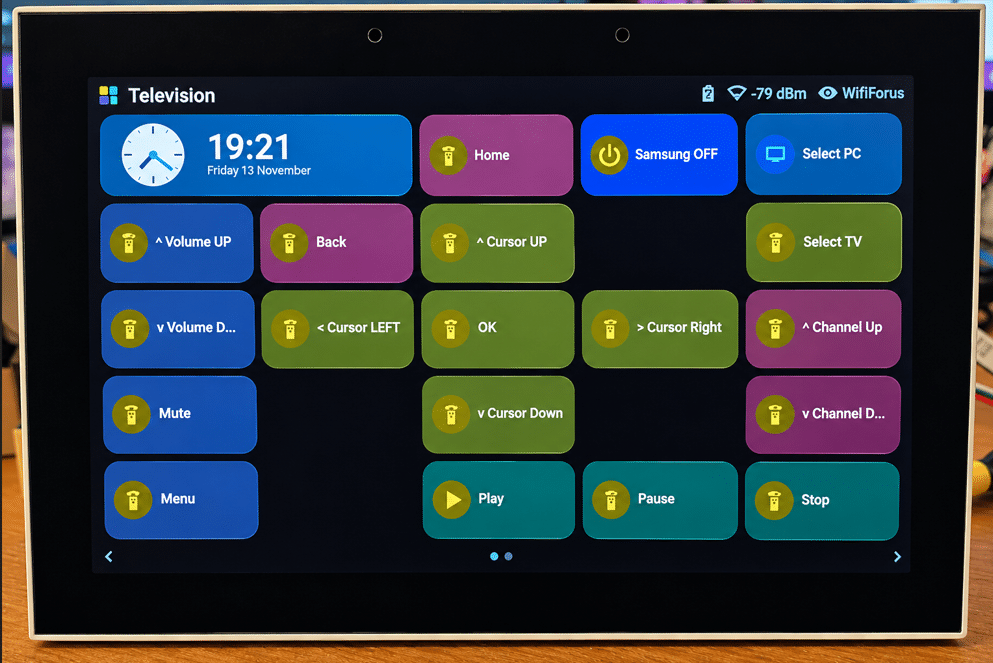
This is all thanks to the Tessera app for ESPHome and Home Assistant. At this point I should say the big screen poses (posed) a challenge for my 8GB RAM Home Assistant HASS PC – griping about only being able to use 2 compilers in parallel due to limited resources – well, it WAS a problem until I figured out that you can use a remote machine with more resources to do the actual compilation.. I’ve a 32GB RAM main PC and all I added was ESPHome and followed instructions to make THAT the remove compilation device..
And because you can add to the basic config in Tessera/ESPHome – I added a webUI (the device uses one of the larger ESP32s).
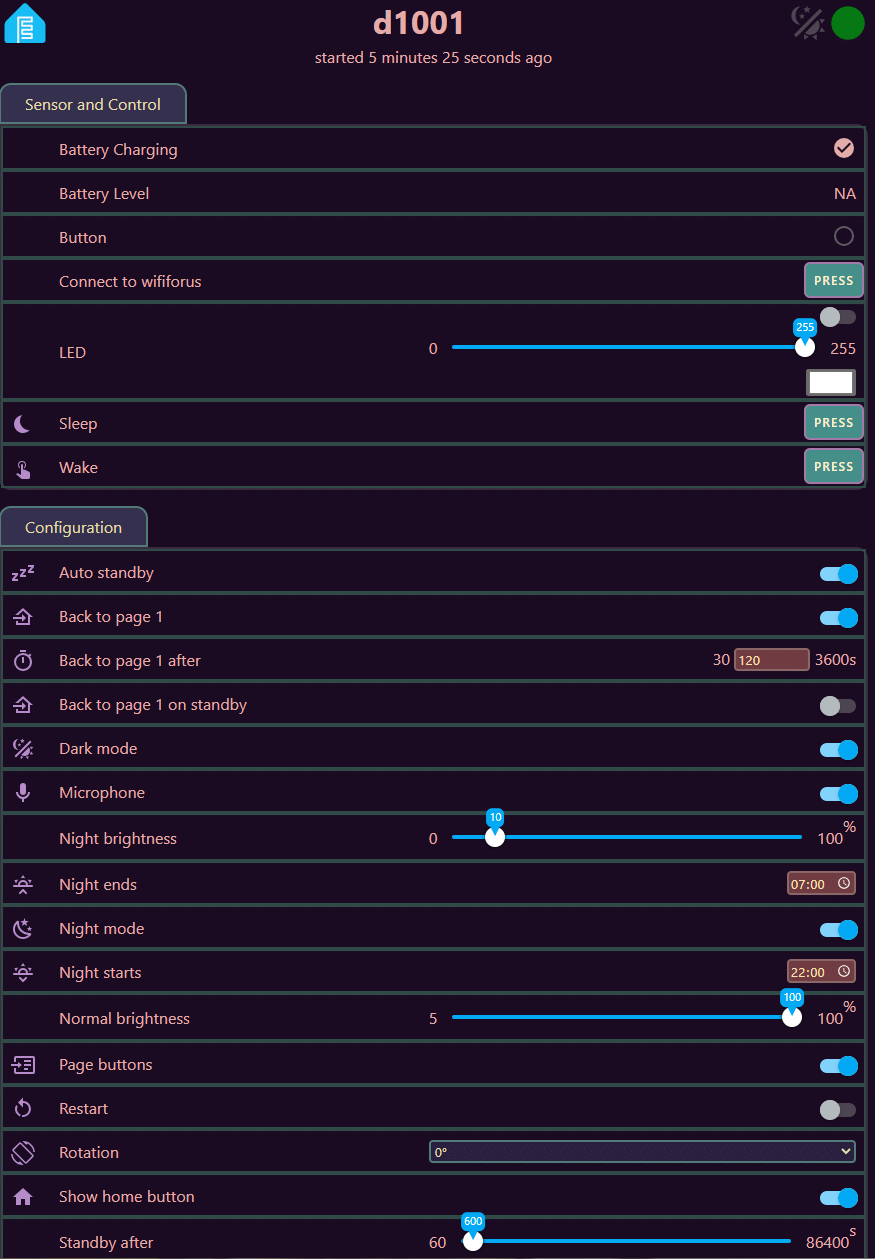
Not yet screenshot but I just added a third page to select from a range of WiFis.
“with 8K of RAM and though at one time this would have been EASILY enough RAM” 8K was never enough, 8GB would be plenty
There’s always one :-).. Okay, I fixed it. Thanks.