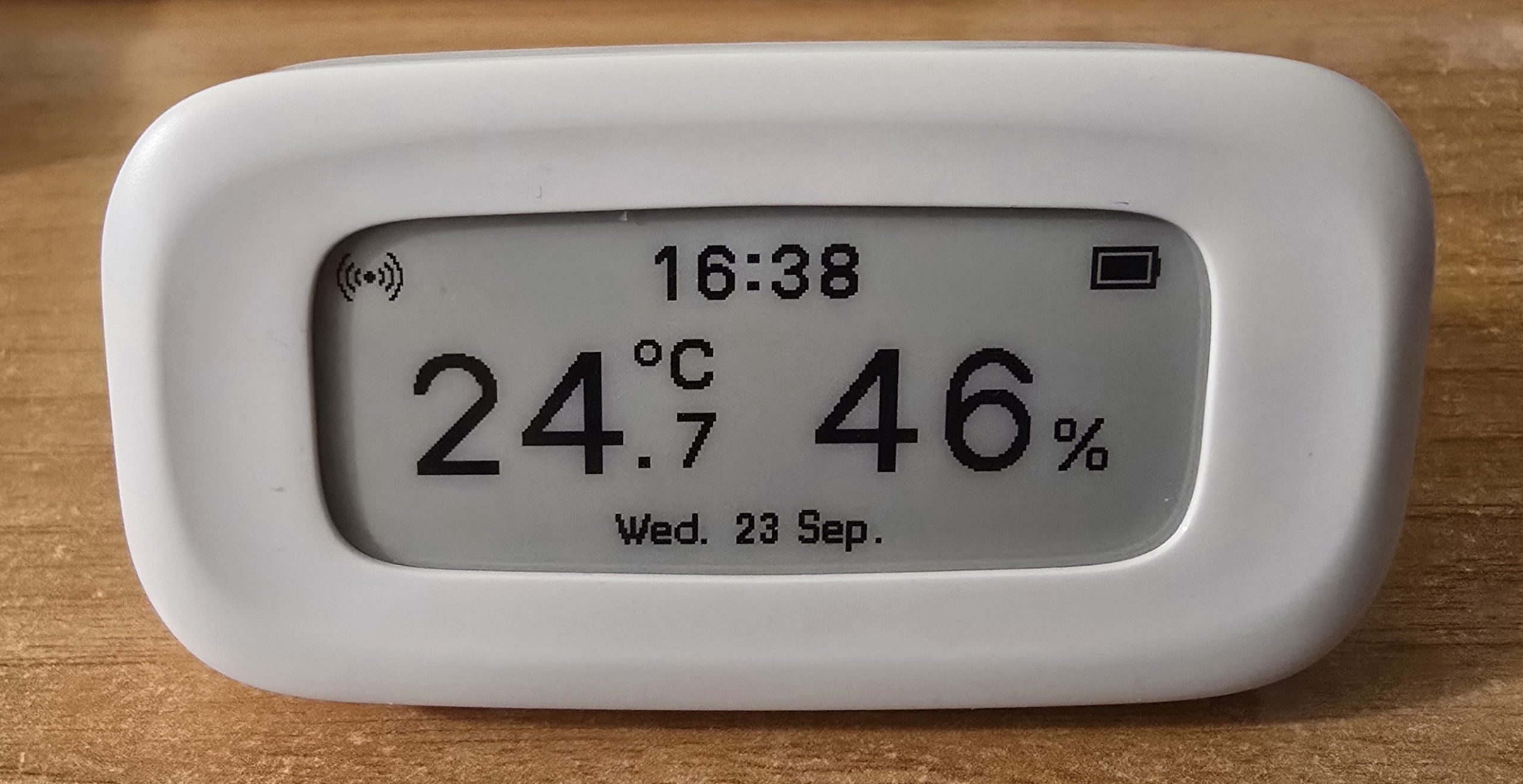
A quick blog to go along with the video I’ve made on the new Sonoff SNZB-02UL sensor – released September 24, 2026. As I’ll be on the road, here it is a few hours early (depending where you live of course).
Please watch the video which gives you an overview of this brand new e-Ink device as installed in Zigbee2MQTT without any external proprietary apps. I’ve explained and shown the features that appear in Zigbee2MQTT and I expect they’ll be more or less the same in Home Assistant (HA). When you’re done with the video – look here…
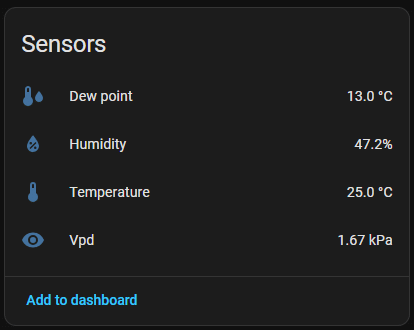
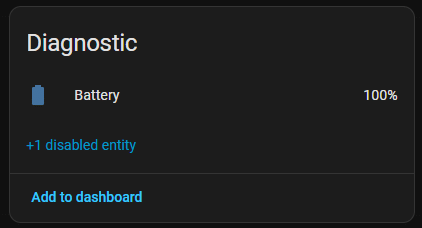
Right now, not quite so much directly in HA as in Zigbee2MQTT (which of course is available in HA anyway) but here are the sensors, configuration and diagnostic panels that appear in HA.
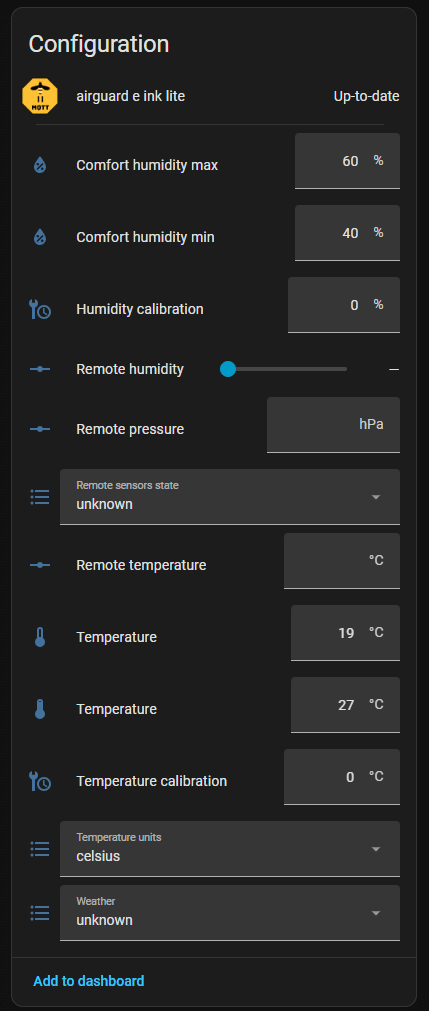
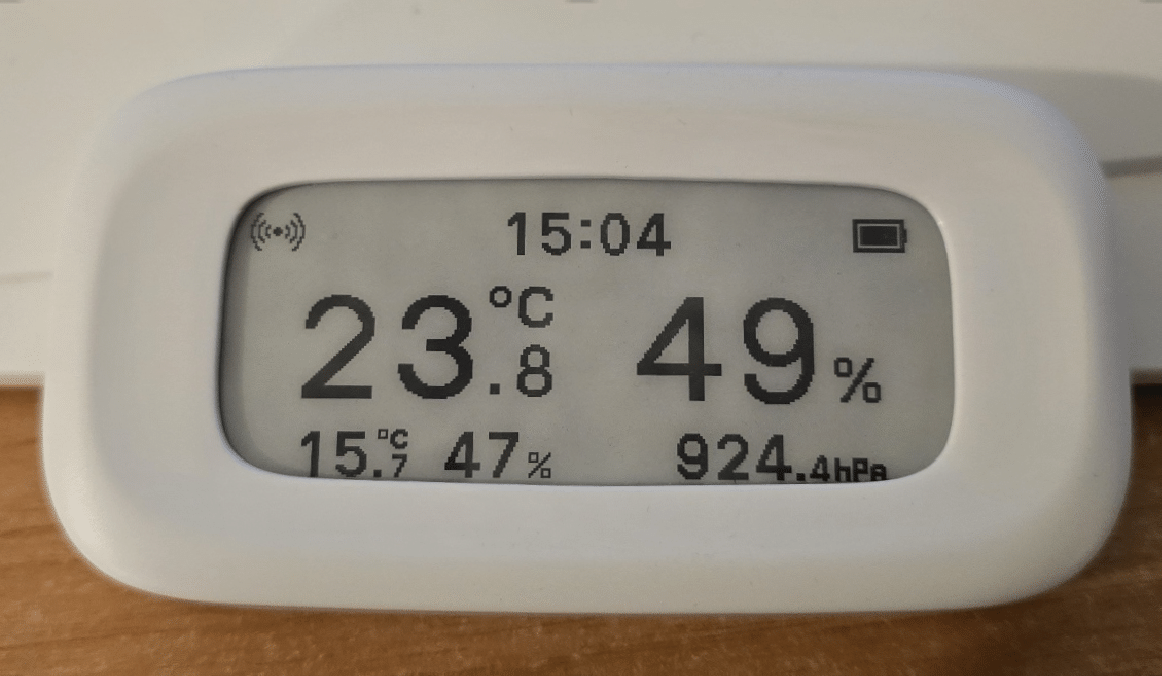
So what’s that “remote sensors state” button above all about? Well, if you enable “remote sensors state” in HA after pressing the button on the back of the e-ink device, then add in up to three remote sensors into an HA automation (see YAML below and change the source temperature, humidity and pressure sensors to your own external sensors) and then wait, instead of getting the date at the bottom of the screen you will have the unit show those external values instead. See photo..
I’ve reduced the number of times the code references the actual incoming sensors to a minimal for each one – i.e. Twice at the top of the automation – i.e. “sensor.outdoor_meter_65_temperature” – sorry that it can’t be reduced to once – but that does make life easier than referring to the actual device several times.
alias: AirGuard E-Ink - Outdoor Temperature, Humidity and Pressure
description: Send outdoor temperature, humidity and (optionally) pressure to the AirGuard E-Ink Lite

variables:
  outdoor_temperature: sensor.outdoor_meter_65_temperature
  outdoor_humidity: sensor.outdoor_meter_65_humidity
  outdoor_pressure: sensor.snzb02m_pressure

triggers:
  - trigger: state
    entity_id: sensor.outdoor_meter_65_temperature

  - trigger: state
    entity_id: sensor.outdoor_meter_65_humidity

  - trigger: state
    entity_id: sensor.snzb02m_pressure

conditions:
  - condition: template
    value_template: >
      {{ states(outdoor_temperature) not in ['unknown', 'unavailable', 'none']
         and
         states(outdoor_humidity) not in ['unknown', 'unavailable', 'none']
         and
         states(outdoor_pressure) not in ['unknown', 'unavailable', 'none'] }}

actions:
  - action: number.set_value
    target:
      entity_id: number.airguard_e_ink_lite_remote_temperature
    data:
      value: "{{ states(outdoor_temperature) | float }}"

  - action: number.set_value
    target:
      entity_id: number.airguard_e_ink_lite_remote_humidity
    data:
      value: "{{ states(outdoor_humidity) | float }}"

  - action: number.set_value
    target:
      entity_id: number.airguard_e_ink_lite_remote_pressure
    data:
      value: "{{ states(outdoor_pressure) | float }}"

mode: restart
A really great little sensor; I like it a lot. Thanks for sharing it on your blog!
I modified the automation to run every 5 minutes and added weather icons from HA Met.no integration. 🙂
https://github.com/enesbcs/ha-automations/blob/main/snzb02ul/snzb02ul_sync.yaml
Great, Alexander – I took a very quick look at the Github – once I figure out how to map the entities back to mine I’ll have that 🙂 Nice Sunday job…
Thank you!
I think you have to map like this:
target: “airguard_e_ink_lite”
source_temperature: sensor.outdoor_meter_65_temperature
source_humidity: sensor.outdoor_meter_65_humidity
source_pressure: sensor.snzb02m_pressure
And add your own HA weather entity name to “weather_entity”
And so I did – and now have a nice cloud icon top right… sun would have been better – but hey – can’t help the weather 🙂