
I’ve been eagerly awaiting this device for weeks now. Delivered by DHL, somehow they delivered it to a local store and neglected to tell me about it. Spanish couriers aren’t the best, to put it mildly.
In at the deep end – no AI in this blog, just good old me writing the hard way – the product on the other hand…. read on…
On this particular device, the opening was half the fun. It looks HUGE – the image area is only 13.3″ diagonal (must be for the USA market – like laptops and phones – always specified in EU-defunct imperial measurements… I’m 72 and learned metric in junior school in the UK)… Anyway, as I’d expect from Switchbot by now, the box looks impressive and even opened up the frame makes the whole thing look satisfyingly large.
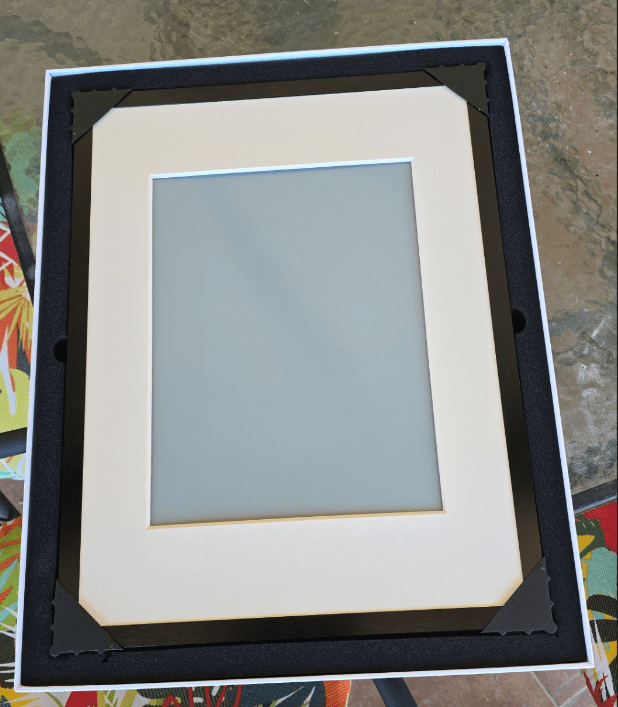
An AI art-frame isn’t the first thing that comes to mind when looking at an IOT purchase, but we’re just fitting out our new cavehome in the back-end of no-where, Spain and I don’t even have the printer set up yet. I have to say, I like the AI frame more than I was expecting – and as it comes complete (in the app) with a shedload of American paintings to choose from as well as art from all over the world, the ability to use your own photos, artworks and more, my wife loves it too.
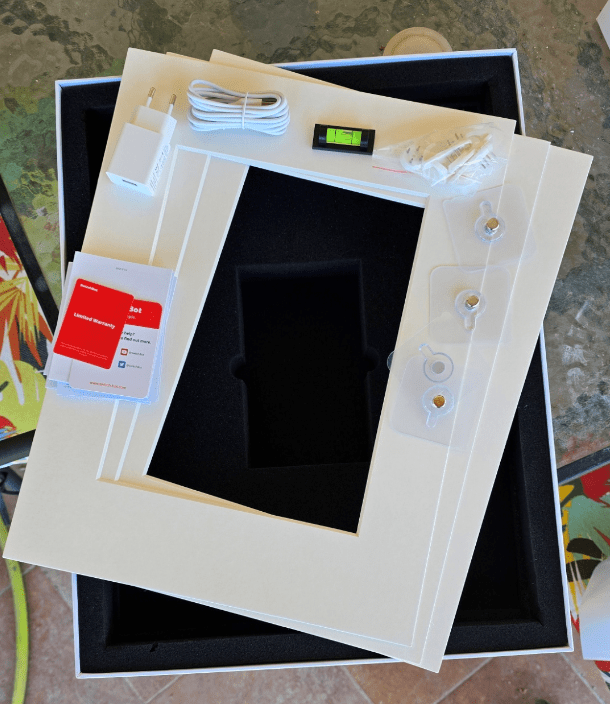
And you get a good number of accessories, adhesive AND pin-type wall mountings – I’ve seen the latter before and never stopped to work out what they are for but I see them coming in very handy for this picture-frame and/or other mounting jobs.
So, what do you get in the box… the picture frame with 3 spare white frame inserts – handy as the insert is matt finish and I guess could get dirty (though after 10 days of sitting on an unfinished wall it is still utterly white so that’s a start.
You also get a USB mains adaptor + lead. The frame doesn’t need power very often but mine came uncharged… just a plain white screen – dead. Thankfully the charger had it up and running in no time, I updated the firmware in seconds on WiFi (after adding the frame to the Switchbot app – a simple matter of hitting “+” then telling it which of my WiFi SSIDs to use). Finally, a mini-spirit level – they thought of everything…
Next, I put in one of the stock images from the app – that takes several seconds with lots of flashing and then… it’s stable – no backlight, essentially no power consumption, just a really good image that could almost be a painting. Next I tried one of my images in my Google Photos which it seemed to pick up automatically. Then I thought I’d apply some AI to the image to make it look like a water colour…. erm I wasn’t immediately interested in that.. 5 euros a month for that facility – thankfully ChatGPT does a similar job and so in a minute or two, my new spiffy picture frame was loaded up with a custom water-painting from a photo of our (as yet FAR from complete) BBQ area.
Colours? Very good but not perfect – none of these paper-white colour frames are perfect but pretty good for something that doesn’t take power when showing static images – I took the frame outside in the blistering mid-day Spanish sun to show my wife who was out doing some gardening – try that with a phone or laptop and see how far it gets you!! Ignore the corners – there for protection until I got this thing mounted on a wall.
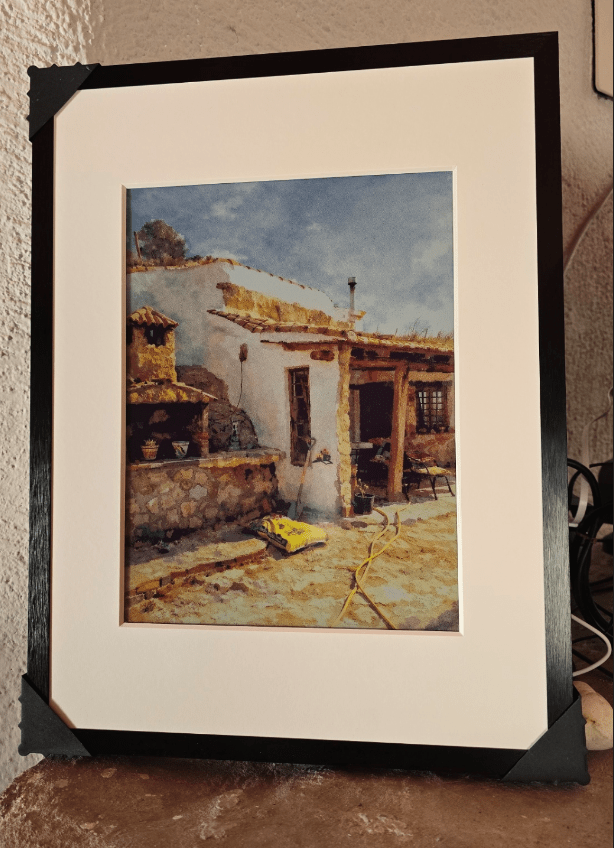
Is that impressive or what! I love it to bits!!
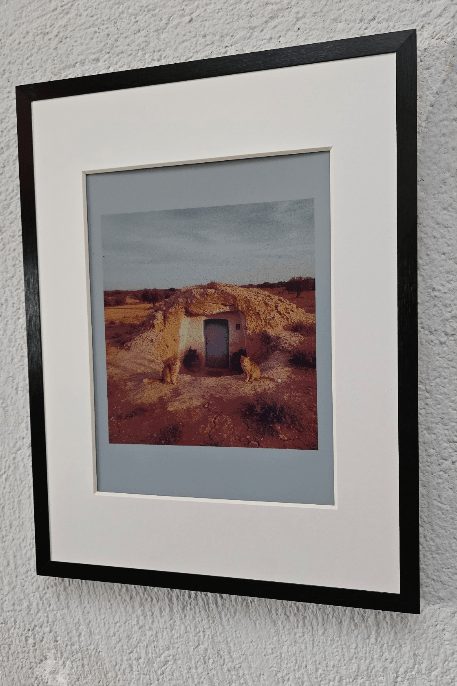
In the end, SwitchBot sent me an AI subscription and at a fiver a month if you’re not already paying for the likes of ChatGPT it’s a great way to conjure up unique images.. here’s my first… I asked for a typical Spanish cave-home in a barren area, with 2 ginger cats at the front door – got it first time though I’ve never seen a cave-home that looks quite like this one 🙂
Incidentally it’s getting onto a month since I charged the AI frame – I’ve changed pictures lots of time while learning about the device – and the battery is still at what looks like 90%+
Update April 5, 2026
A few weeks on – I still like the AI Art Frame – but now the novelty has work off, I’ve a couple of niggles – firstly, I started adding images and at one point would see as “busy” indictor on all new images (under the 10 image limit for locally stored images). I can only guess the DELETE function (although it APPEARS to work) is not cleaning up properly – I’ve reported this back to SwitchBot and hopefully a future firmware update will fix this. I tried everything and in the end had to do a factory reset – thankfully the images remain in the APP so restoring functionality is a quick job.
I also noted that the resolution of this material isn’t what we’re used to with modern LCD and OLED displays – but then at normal viewing distance this isn’t a problem.
That SwitchBot AI frame sounds like pure joy—zero-power static art that crushes sunlight readability? Game-changer for cavehome vibes.
Love the unboxing thoughtfulness (spirit level FTW) and ChatGPT hack dodging subs. Wife-approved too—mount it and watch the BBQ area glow.
What’s your first custom AI art prompt for it?
Yup, good fun.