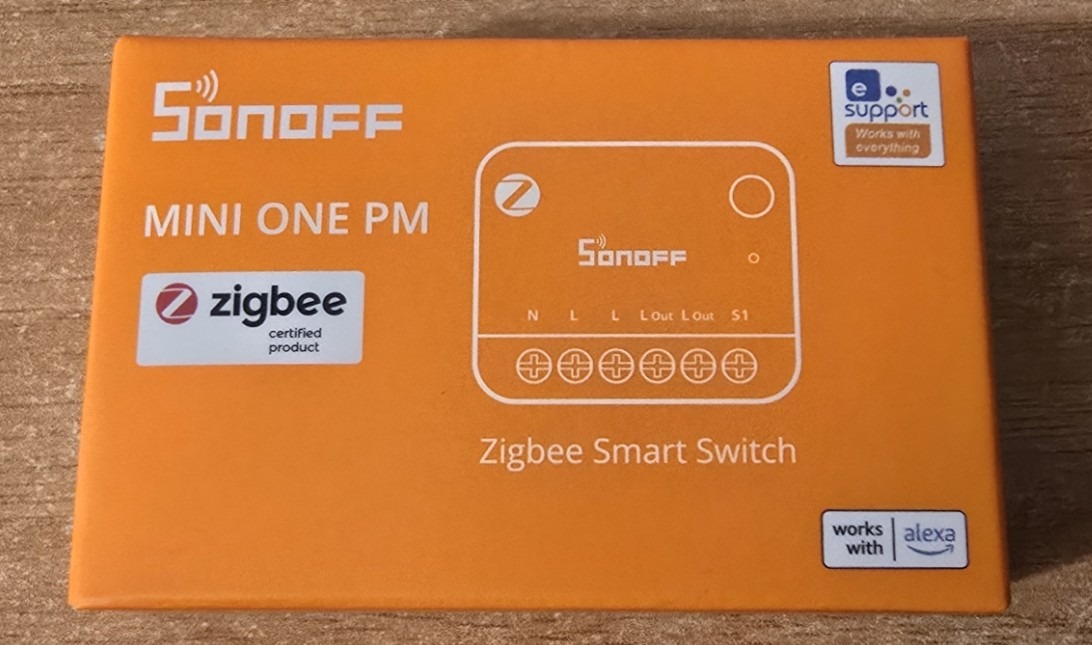
I hope I have that right – this is another brand new Zigbee 3.0 device from Sonoff – and once again it’s a safe bet that it can be used either with the eWeLink app or bypass that altogether and use it directly in Home Assistant with the Zigbee2MQTT add-in and a coordinator like my SMLight SLZB-06.
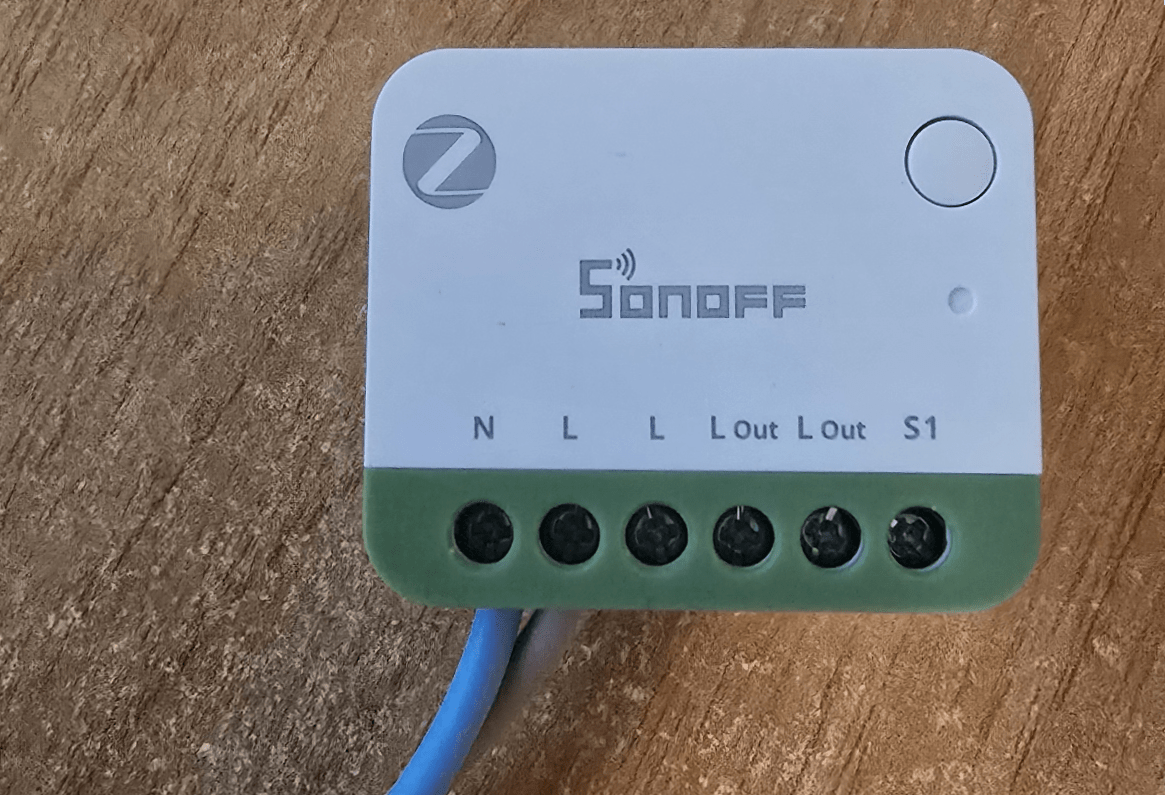
I’m figuring this out as I go along. Clearly, live and neutral in – and I’m and not sure why the second L output, a second L-OUT and only on S1 for a switch…. time to look at the manual.
So, taking the first “L out” to a load and the return for that to N – that makes sense. It seems the operation of the switch can be changed by clicking the button 3 times. Well, this is new!!
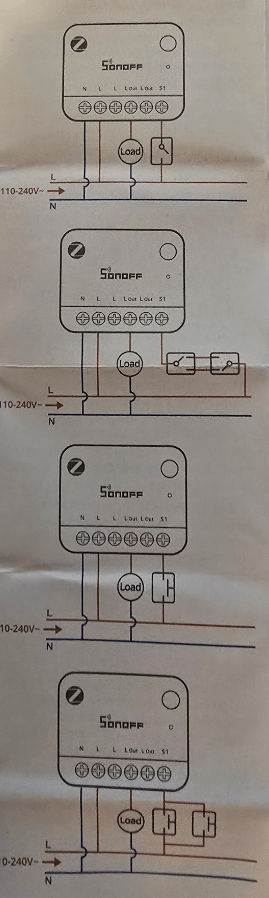
You can see in the image the various connection methods.
a) A simple switch
b) a changeover switch
c) a pushbutton
d) dual parallel pushbuttons
Of course you can also turn the device on and off remotely via a tile in HomeAssistant or if you go down the eWeLink route, by using the app.
So far, so good. I named the device mini-zb1gsp in my Home Assistant Zigbee2MQTT setup – lets have a look and see what has been exposed in HA.
Firstly in Zigbee2MQTT, lots of things have been exposed.. on/off control and current state, power-on behaviour which can be off, on, toggle or previous, you can turn the blue network indictor light on or off, set turbo mode, which boosts the Zigbee radio transmit power to improve range.
There is an inching control set an option to delay power on state, which says “restore the plug output after the configured power on delay”. You can also control that delay before the power output is restored after power returns from 0.5 seconds to 3,589 seconds. It is also possible to detach the relay so that that can be used when the load is a smart device such as a smart light and we don’t actually want to turn the relay on and off.
On monitoring you can monitor:
Total energy, total export energy, device overheated status, metering communication error., electrical status. There is also a power protector to set the maximum current from 0.1 A to 16 A. Maximum power protection from 2 W to 3840 W.
Then there is the action, triggered action by clicking a button. And finally – link quality. In Home Assistant itself there seems to be a subset of that lot – see image below.
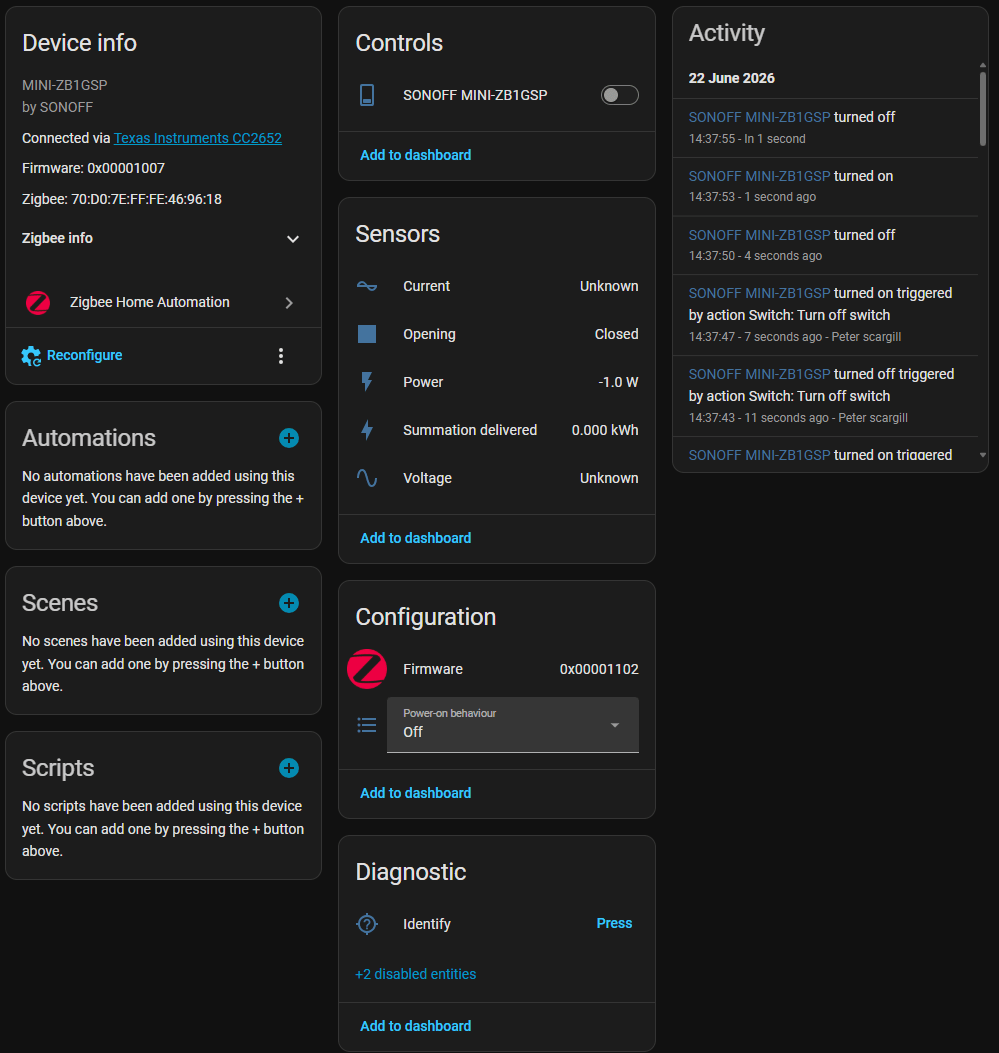
But then of course you have MQTT access to the device in Home Assistant and you see a larger array of sensors in there – a MUCH larger array… oh and just to clarify you can of course turn the device on and off in Home Assistant, via a switch or button you add as in the diagrams above – or using the existing button on the front of the unit. Here’s a short clip of the entities available in Home Assistant…(not my steadiest short video but hopefully helpful).
For the record… “SONOFF Anniversary Sale Kicks Off June 30 2026” and official product launch June 25, 2026.