According to the Box this new Sonoff product is a Matter-compatible outdoor smart plug that runs on Wi-Fi, with: smart timer, Matter compatibility, energy overview, electricity bill tracking, overload protection and overcurrent protection.
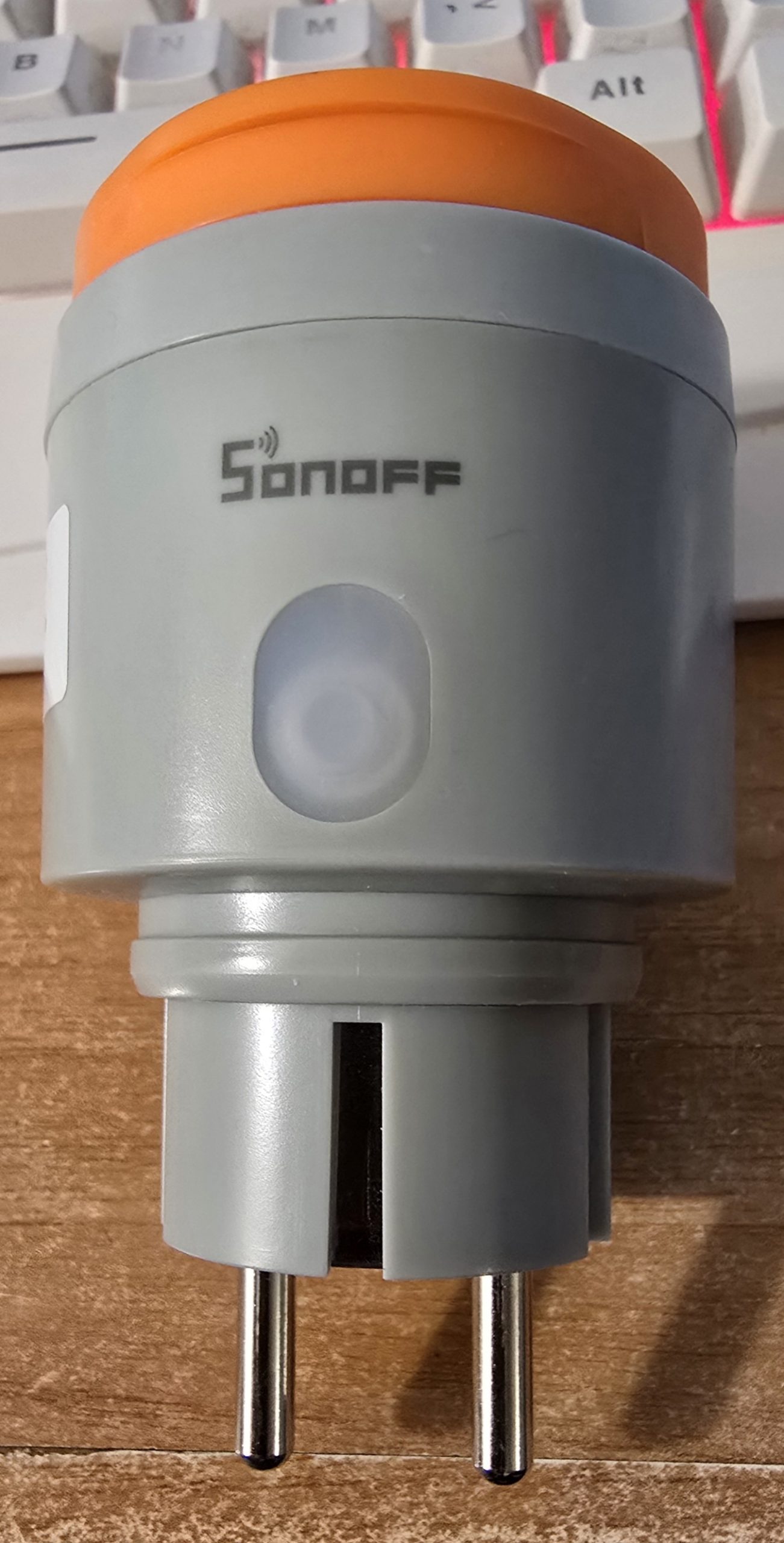
This is the EU version but there will be versions for the UK and USA etc. Details: 16A 3840W – handy for heavy duty stuff. My model says S61TPF-PM-O (Type F) (compatible with type-E and type-F wall sockets).
Normally when I see “Matter over WiFi” I get some nonsense like “may need the xxx APP for initial setup”. None of that here. I tried simply plugging in the unit to the mains and adding a Matter device to Home Assistance – no joy – then I realised the device was not fully factory-reset – so I held the button on the side of the S61S for a few seconds and tried again on my phone Home Assistant companion APP which then opened my phone camera to scan the QR code on the side of the switch.
As the sticker is paper and the switch is meant to be weather-proof – it’s probably worth storing that QR code in case it’s ever needed again.
Anyway, pairing took only a moment and then I went into Home Assistant on my PC for ease of showing you the information that appears… Note: 2.4Ghz WiFi only. Operating altitude below 2000m. Thank goodness I’m at 900m above sea level 🙂 Operating -20c to +50c. -20c is just fine – the +50c – I’ll have to keep the plug in the shade when powering the pool here in Southern Spain – we get up to 40c in the shade mid-summer and that 50c in direct sunlight is easily possible.. (I had a pair of Meross solar powered temperature/light sensors with that same maximum and they both kept failing – how daft is that – they have to be left in the sun to operate and yet could not handle mid-summer direct heat).
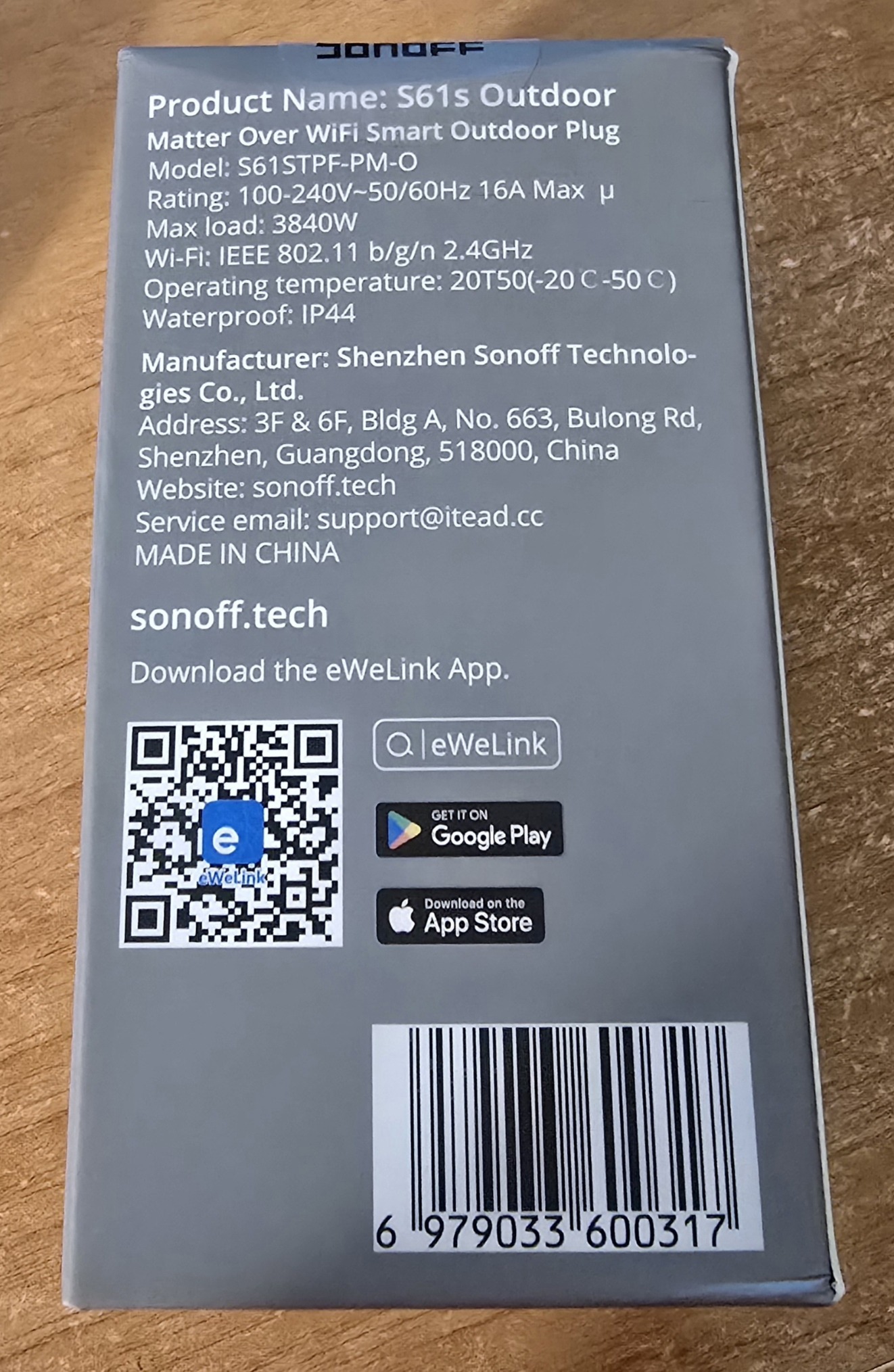
The device is IP44 rated for dust and splashes. “Visualise power consumption through intuitive charts and graphs…” – of course that assumes you’re using this with the eWeLink app whereas it is marketed as Matter-compatible – I’ve not been near the app for this installation.
Overload protection should shut the device off if current or voltage or power exceed user-defined limits… see below – that setting up configuration certainly doesn’t appear in Home Assistant. Looks like that indeed does need the eWeLink app after all.
My extensive history of using Sonoff controllers suggests I should expect high reliability.
And there it is in settings – devices – I kind of wish the default name would have been something like S61… of course if you’re not using Home Assistant you could always set up the device in the eWeLink APP on mobile..
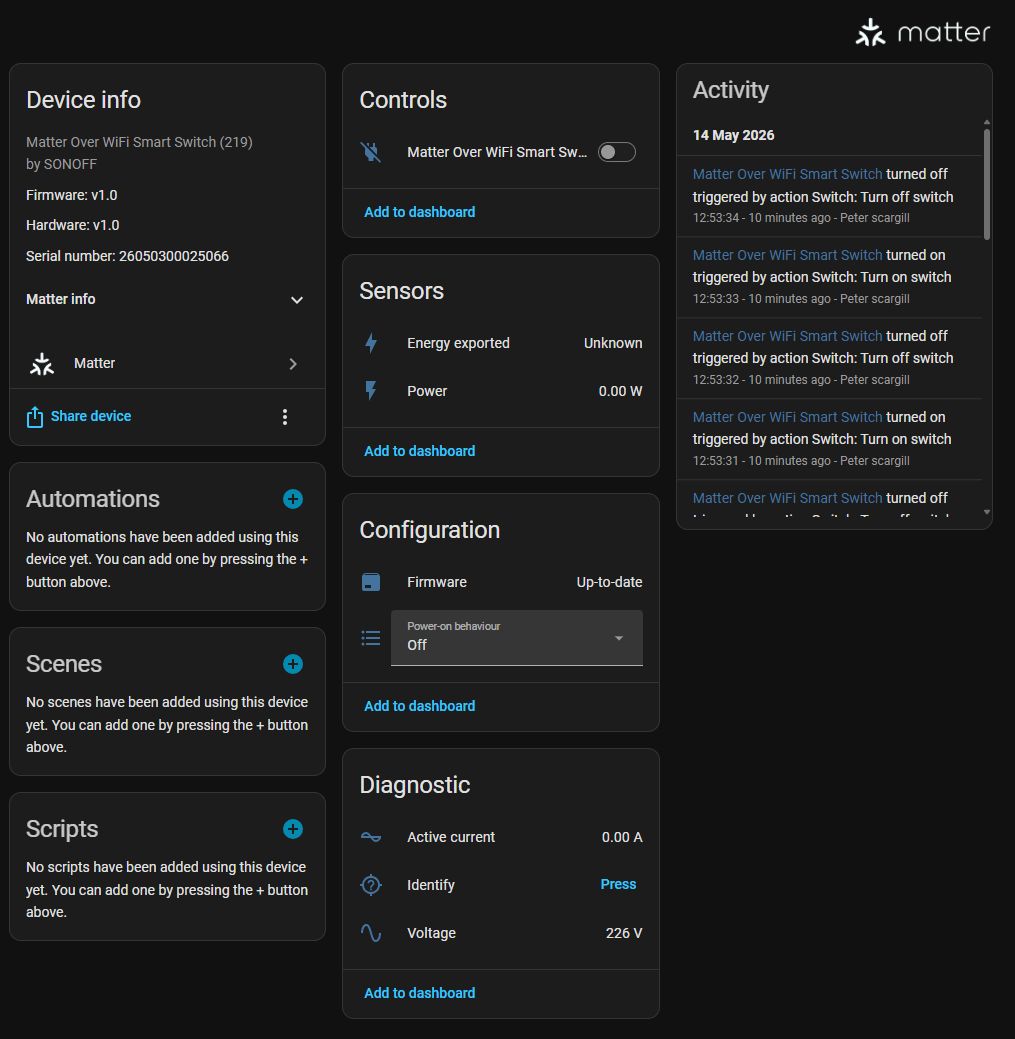
Ok I’ve done it – renamed the device to S61S-1 – of course now the entities will all need renaming – but that’s down to Home Assistant, not Sonoff.
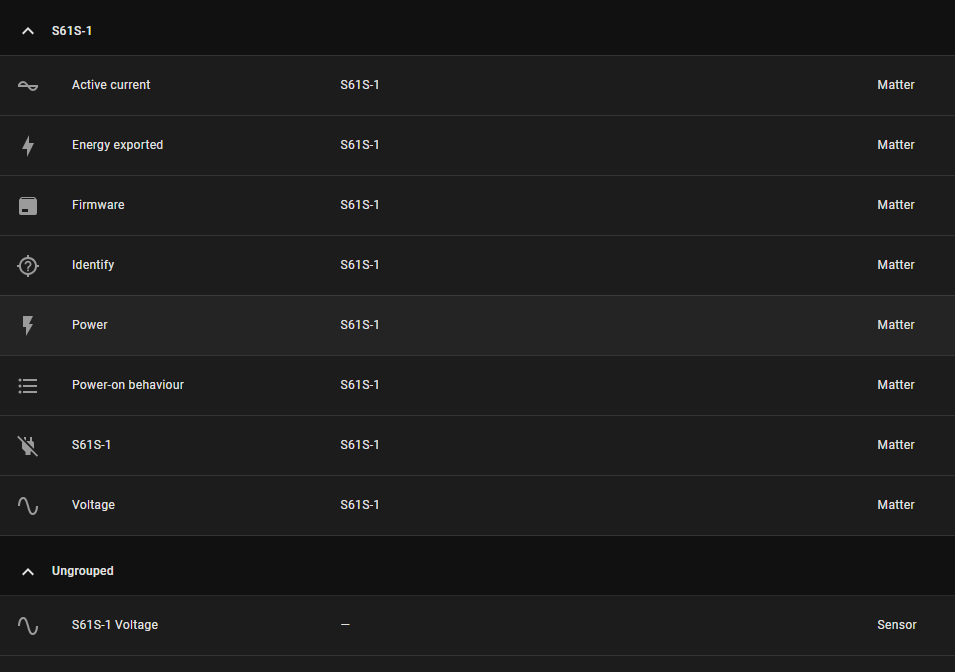
Sorted. Well, that was easy – the longest part was renaming – and even that only took a moment thanks to copy and paste.
Of course similar functionality can be gained from such a device programmed with TASMOTA but then there’s the issue of calibration.
My S61S came with up-to-date version 1.0 firmware