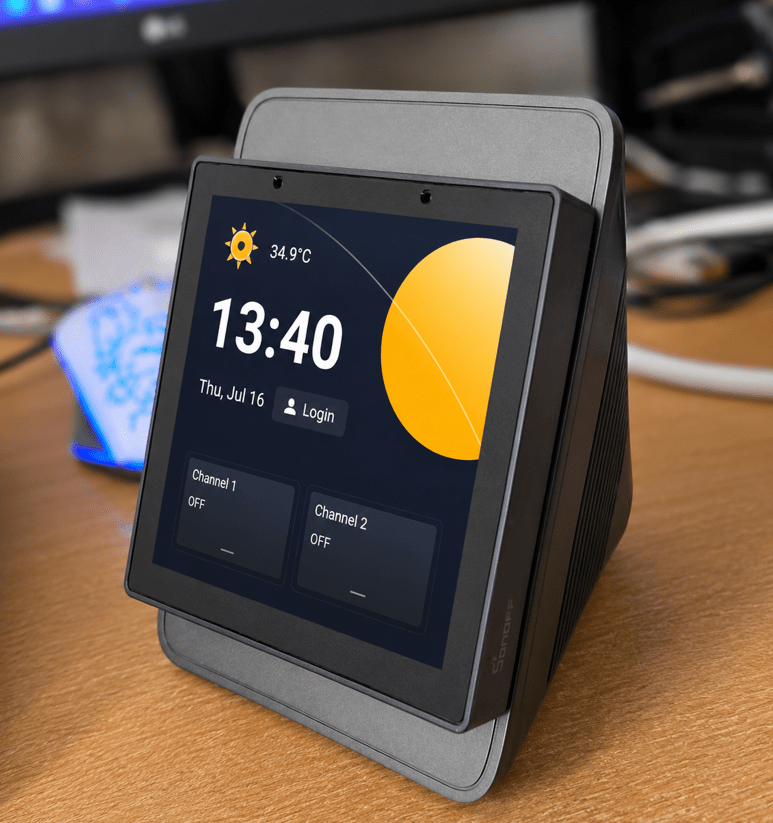
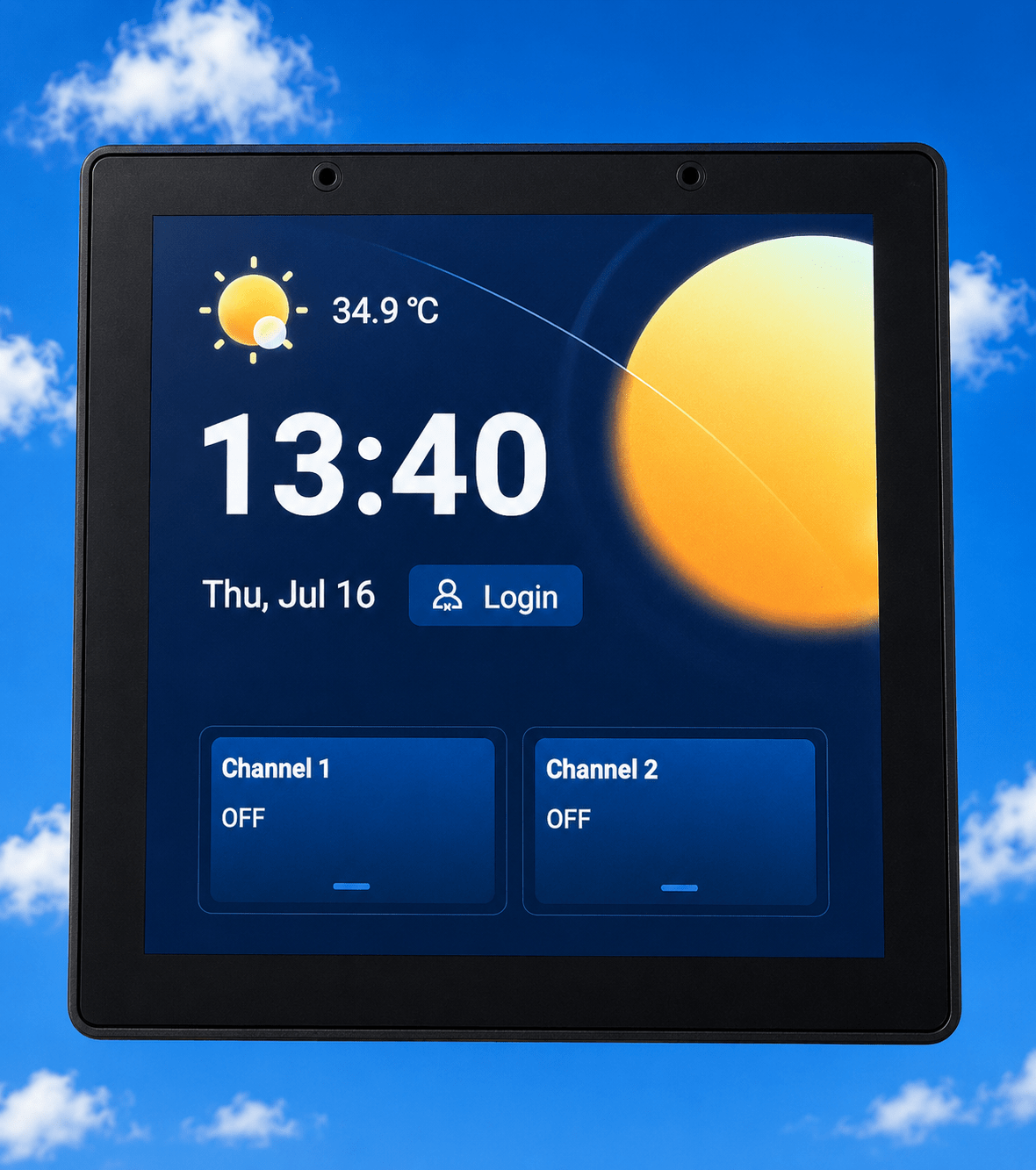
This is a short writeup about the new sonoff NSPanel Pro Gen 2. Up to now I have my doubts… 2 on-screen buttons switching real relays reminiscent of the original NSPanel (not the original Pro) – Nice touch screen and lots of promises. There is a case for this and it can be mounted in a wall switch or wall socket frame.
By default, the device shows the weather and time/date a few seconds after power up.
But onto weather settings- neither my home town of Galera nor the nearest town with a weather station – Huescar – appeared in the city search. October 2026 the device now says “City not listed? Try setting the weather location via the eWeLink app or the local web portal.” I entered my town manually (it was not aware of it) and my coordinates into the eWeLink App. Not entirely convinced as the local forecast says it is 16c, Sonoff says 17.1c.
Under advanced settings I found Android 11 for device name PX30_Android 11. Settings generally look quite standard for Android though in terms of Android vresions, this is going back a bit for me.
The touch screen is very responsive, which is nice.
F-Droid didn’t seem to do much back in April – now in October there are lots of APPS in there..
When I looked on the apps, the only app I have is F-Droid and once in there I could only get out of it by power cycling – not very intuitive. There is no Playstore. I didn’t want to try adding a device because I already have a Zigbee coordinator and I don’t want a chance of messing that up but I’m sure the Zigbee will work just absolutely fine.
So up to now I’ve got forecast and weather that may or may not be accurate. I’m showing the time+date and I have two buttons which clearly work with the internal relays and that’s great, reminiscent of the original NS Panel. Double press and long press on those buttons doesn’t seem to do anything.
Then I noticed the date: Friday, April 24th, 11:54. I set the time zone. It’s actually 9:00 in the morning on Sunday the 10th of May.
When I went to log in, NSPANEL said no internet despite having connected to a working Wi-Fi access point. I tried another access point and the screen said success. But then when trying to open the eWeLink account, no Wi-Fi “Please connect to Wi-Fi and settings”.
By July 2026, latest firmware, the unit could not in WEATHER find either my town or the nearest next town both of which show up in other systems. It found BAZA which is 30 minutes drive away minimum and their weather rarely matches ours.
Under ABOUT – info says BATTERY 50% – 1 hour until charged. But pull the plug and the display goes off immediately, plug back in and it reboots normally – so the battery indicator seems to be rubbish… (software update – OOH an update – July 16 2026 and I’m updating and see an Android update within that)…. got it.
As I expected, the weather – temperature is showing as 2c higher than the actual temperature here in Galera according to my Samsung Android phone (despite being unable to select a city in settings). I checked our nearest city BAZA but not our town- the unit insisted on calling it Baza-Baza….. temperature was near enough but Baza temperature at half an hour away by car is nothing like ours.
No MATTER QR code anywhere but in the unit when I went to the Matter section and QR code appeared and connected to Home Assistant mobile app no problem. Once the device was added to Home Assistant 2 controls appeared – named incorrectly…
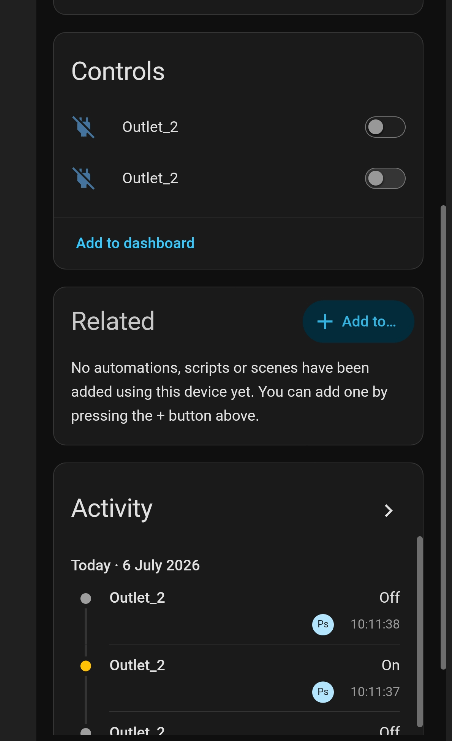
I did find a way to rename the outputs in the eWeLink APP but they DON’T rename on the NSPANEL itself.
Meanwhile, I’ve been trying to use one of Sonoff’s headline features:
“Supports F-Droid and third-party Android apps.”
In practice F-Droid isn’t preconfigured correctly for loading Home Assistant Companion. Adding a repository is awkward because the on-screen keyboard obscures the dialog. The QR code option is unusable on a device with no camera. Once you do get into F-Droid, getting back to the Sonoff launcher isn’t straightforward.
And after all that and a reboot – the unit has lost the time and weather – the timezone is set correctly but SO – upgraded – time is working ok, weathre – still no sight of my town of Galera or nearby Huescar, surely this is built into the Android operating system? They are in my Android phone so why not here…
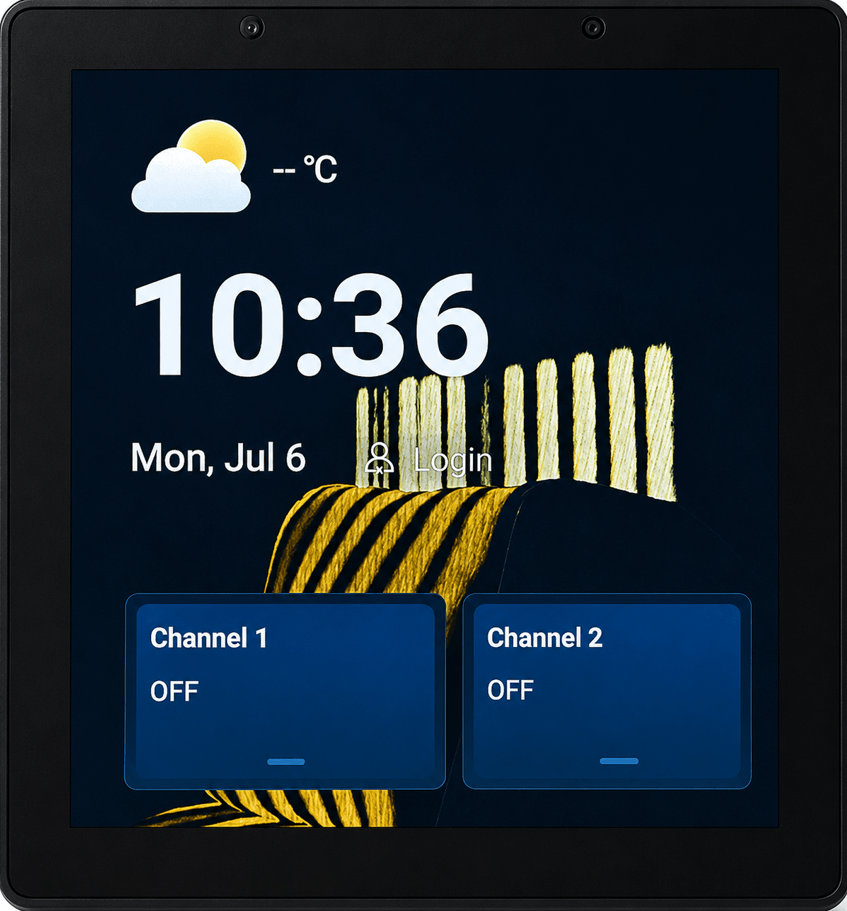
After the update I was given a chance to set WIFI which I didn’t because I’d already had it working with Home Assistant – hence working WiFi… but..
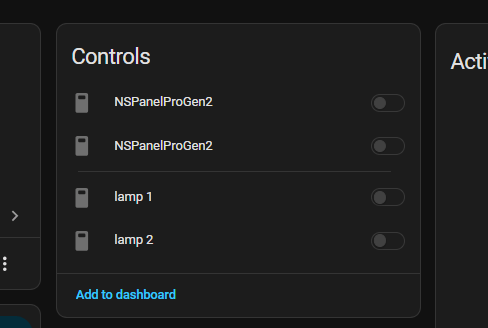
Ands the controls are now greyed out in HA. I’ve no idea why there are 4 of them either..lamp 1 and 2 work in the eWeLink app on my phone so the WiFi is working – but HA remains unconvinced…
Up to now, not Sonoff’s finest work – but let’s wait for the next update… Meanwhile, they sent me one of the optional backing boxes – very nice – for anyone wanting to put the NSPANEL on a desk, this is ideal.