The Aqara Hub M100 is Aqara’s latest ultra-compact smart home hub, designed to bring modern connectivity standards like Matter and Thread into even the simplest setups. Unlike traditional hubs, the M100 comes in a USB-stick form factor, making it discreet, portable, and easy to deploy anywhere you have a powered USB port. That’s what it claims anyway.
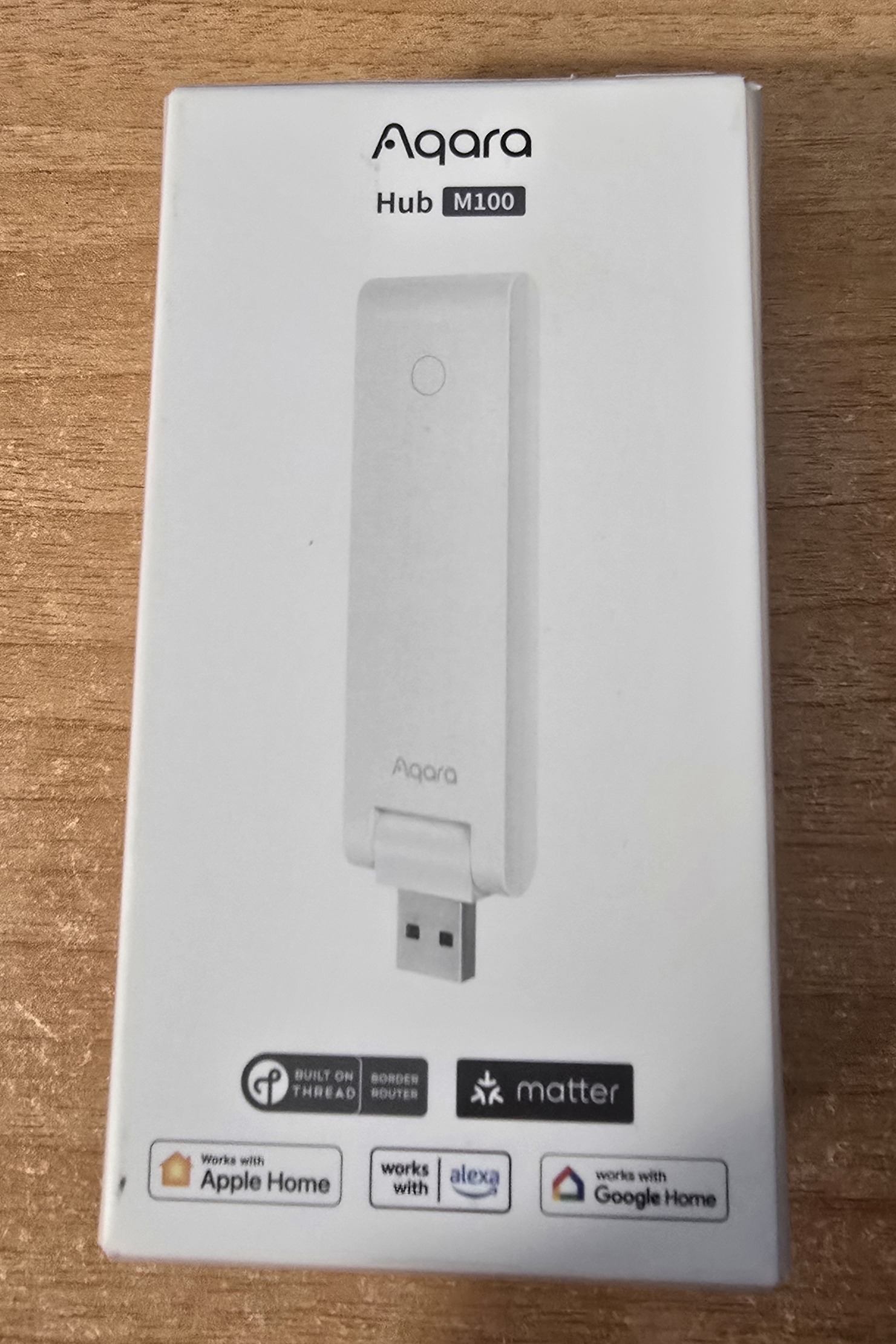
Model number HM-G02E – input 5v at 0.5A. Inputs incluse WIFI (including WiFi 6), Zigbee, thread, Bluetooth.
Thread Border Router
The M100 acts as a Thread border router, allowing Thread-based devices to communicate with your home network. This is key for newer low-power smart devices that rely on fast, mesh-based communication.
Matter Support
With built-in Matter compatibility, the hub allows devices to work across multiple ecosystems. That means you’re not locked into a single platform.
Multi-Platform Integration
The packaging confirms compatibility with:
- Apple Home (HomeKit)
- Amazon Alexa
- Google Home
This makes it ideal if you’re running a mixed smart home or planning to switch platforms later.
In real-world setups, the M100 fills a few important roles:
- Bridging Aqara Devices
It connects Aqara Zigbee devices (sensors, switches, etc.) to your smart home system and exposes them via Matter where supported. - Extending Thread Networks
If you’re building a Thread-based network (for example with newer sensors or smart plugs), the M100 helps extend and stabilise that mesh. - Simple USB Deployment
Because it’s USB-powered, you can plug it into:- A router USB port
- A NAS
- A phone charger
This makes placement flexible—useful for improving signal coverage.
- Entry-Level Smart Home Hub
For someone starting out, this is a low-cost way to get into Matter without committing to a large, expensive hub.
Where It Fits in a Setup
If you already use systems like Home Assistant as I am, the M100 can still be useful:
- As a Thread border router alongside other infrastructure
- As a bridge for Aqara devices if you prefer their ecosystem
- As a secondary hub in another location (e.g. garage, workshop, or second property)
Limitations to Be Aware Of
Based on similar Aqara hubs and the compact design:
- Likely limited Zigbee capacity compared to larger hubs
- No Ethernet—relies on Wi-Fi via the host environment
- May depend on Aqara’s app for initial setup
Bottom Line
The Aqara Hub M100 is small and is less about replacing a full-featured hub and more about enabling Matter and Thread in a simple, flexible way. If you’re expanding a smart home or experimenting with newer standards, it looks like a neat, low-profile addition.
For actual testing I need to be visiting somewhere else as my home already has a Zigbee coordinator (Ethernet) so I’ll have to update the blog at a later date.
Looking forward to your full review.
Appreciate your reviews and blog entries.
Hopefully the hub will show up at a reasonable price in Brasil, though it more likely may not be submitted to the Brasilian spectrum authority for approval (common issue, small market).
BTW, there’s a duplicate “multi-platform integration” section.
Crumbs.. thanks for that. I’ll fix it right now.