
This should be an easy one- the new Sonoff AirGuard TH is a Zigbee desktop LCD Temperature and Humidity Sensor – decent size – showing maximum and minimum values as well as current values.

Other than that, nice but nothing outstanding – looks good – ignore that line in the right hand image above – a hair or something – certainly not there when I looked after taking the photo. Ok, so it’s a temperature and humidity sensor with a stand (erm, no time/date display – I wonder why not – but it does have min and max indicators) but this one is ZIGBEE – so no messing around with apps. Straight into my Zigbee2MQTT setup and hence straight into Home Assistant.
I never got around to reading the manual, just instinctively holding in the little button on the back for 5 seconds to start pairing mode at which point the signal indicator appeared on the top of the display, flashing. It is now solid. So we have a battery indicator (a pair of AA alkalines were included).
In January I wondered how this would stand up against Ikea’s new announcement that all of their new (January 2026) sensor products would purposely work with both AA/AAA batteries AND their own range of RECHARGEABLE batteries (if you don’t know, rechargeable batteries are lower voltage than the alkaline versions, i.e., 1.2V as against 1.5V, and this is normally a problem for sensors of which I’ve had many which start to fail as the voltage gets down to around 1.1-1.2 volts). As it happens (April 2026) after all the fanfare, the Ikea products don’t seem to have really materialised – at least not in Spain Ikea stores.
Not 100% sure about that red exclamation mark below Airguard TH (my name) – probably an update warning as it went away next time I took notice). But voltage, battery percentage, temperature and humidity are all exposed along with settings for degrees C versus degrees F etc.

I was about to get very enthusiastic. I pressed the button and detected F for Fahrenheit – that worked – but when I repeated the operation to switch back to C – it didn’t work despite several attempts… I waited 5 minutes and tried again – this time it changed back to degrees C – but this needs a little more work.
And from there, into Home Assistant… simple? Let’s see. It should be in there automatically… Yup.

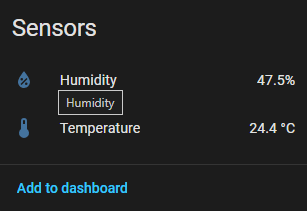
It’s there.. humidity and temperature sensors along with the various configuration options – all there. It could be nice if the battery state sensor was available as well – I’ll ask Sonoff while I’m asking about that C to F anomaly.

Update April 2026 – after many delays caused by our house move, I’m back to fitting temperature sensors and the Airguard TH has just been put in the lower (far end of the house) bedroom where it’s Zigbee connection is working perfectly.